The First Public Beta
is Out.
PresenceOS is now open to anyone who wants to try it. It's early, and it will show — but everything on this page is running code, not a pitch deck.
Guardian Relay, the parent app, is available now for Android. I build and ship the updates myself, and every bug report lands in my inbox rather than a ticket queue. What beta testers hit this month decides what I fix next month. Both apps self-update from my own server — no app store in the loop — so every tester is on the current build within a day of it shipping.
A phone
without
the noise.
Get in touch and shape where this goes.
It's early enough that one email can change the roadmap.
PresenceOS keeps the essentials — calls, messages, navigation, music, camera — and permanently leaves out the mechanisms that drive digital addiction. The phone still does everything a phone should. It just stops there.
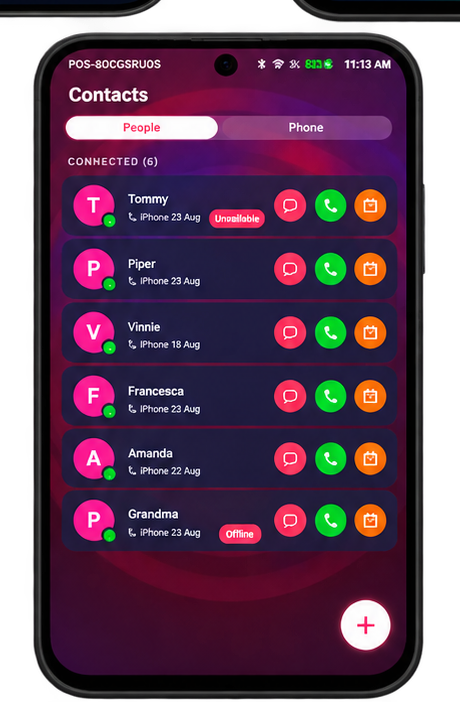
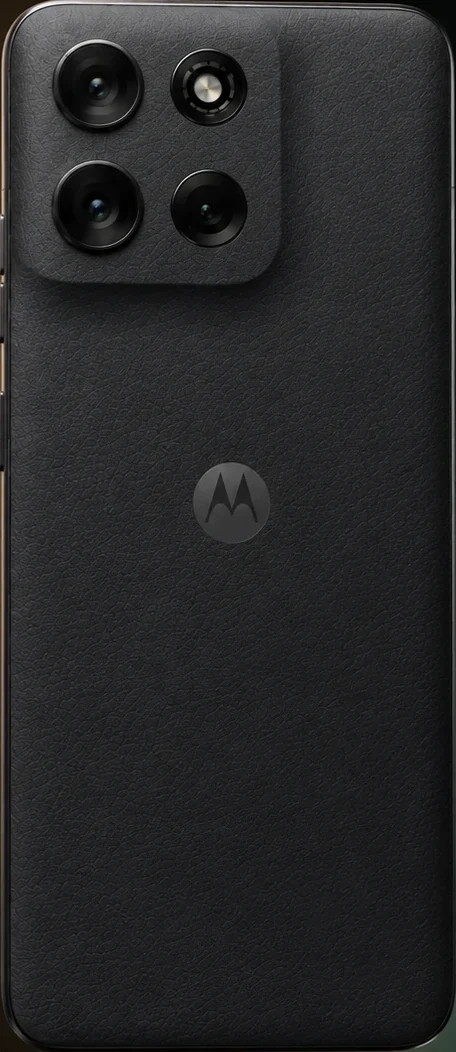
What I kept.
What I removed.
Intentional Browsing
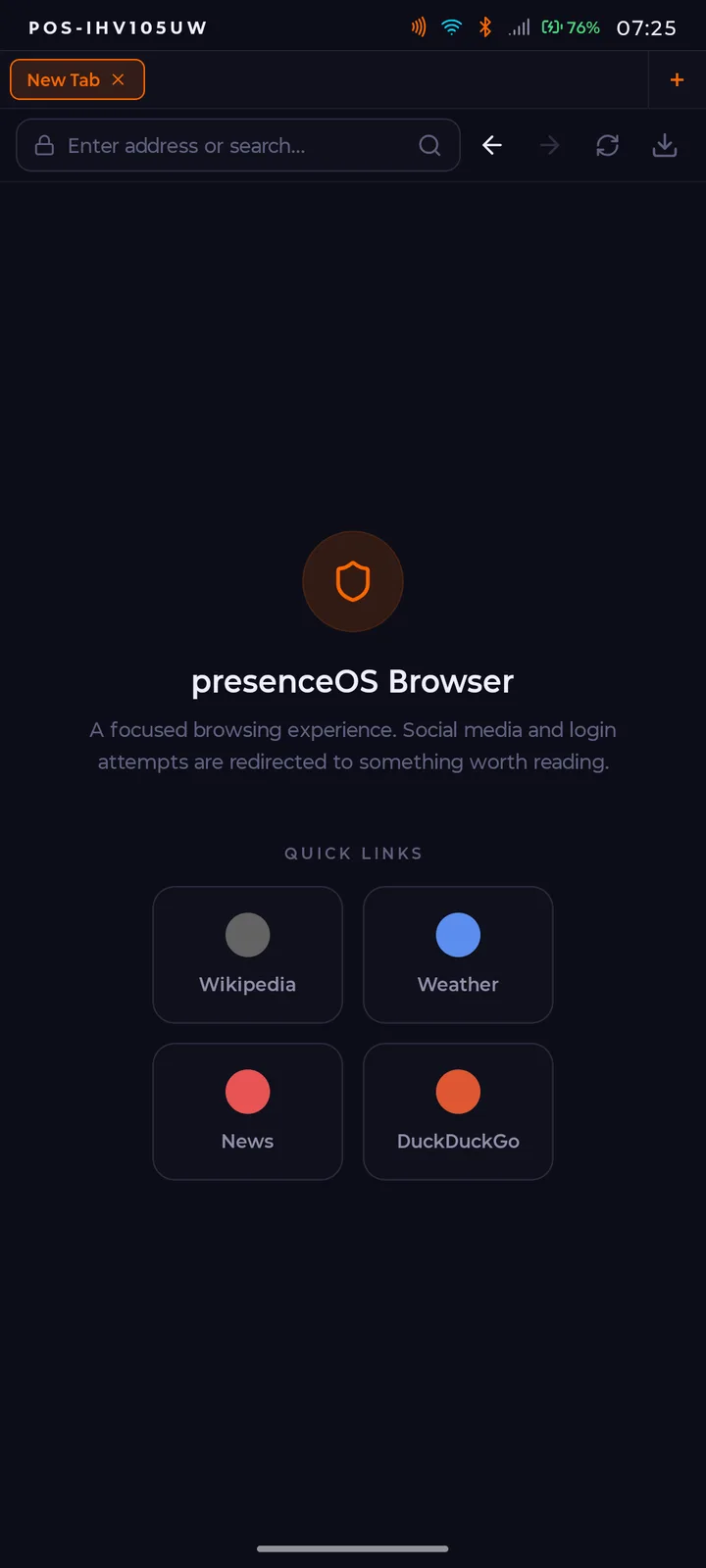
Social media logins are blocked at the system level, not by willpower — and "blocked" is really the wrong word, because the login path was never built in the first place. The PresenceOS browser redirects those attempts and surfaces something worth reading instead: Wikipedia, weather, news, DuckDuckGo. A small, curated surface with far less to go wrong.
Instagram and TikTok aren't filtered out; the architecture makes them structurally unavailable. The one exception is deliberate: a guardian (the optional parent mode) can remotely grant access to a virtual iOS or Android device, on a schedule and with limits the guardian sets. That approval is the only route to a conventional social network on PresenceOS.
Guardian Relay
A safety net that doesn't watch you all day. There is no always-on tracking or background monitoring; Guardian Relay sends event-based alerts at the moment you need help, and stays quiet the rest of the time. Safety shouldn't have to cost your privacy, so I didn't build it that way.
You can add up to 3 trusted NFC-paired contacts as guardians. Everything is consent-based and the logic runs on the device, not in a cloud profile.
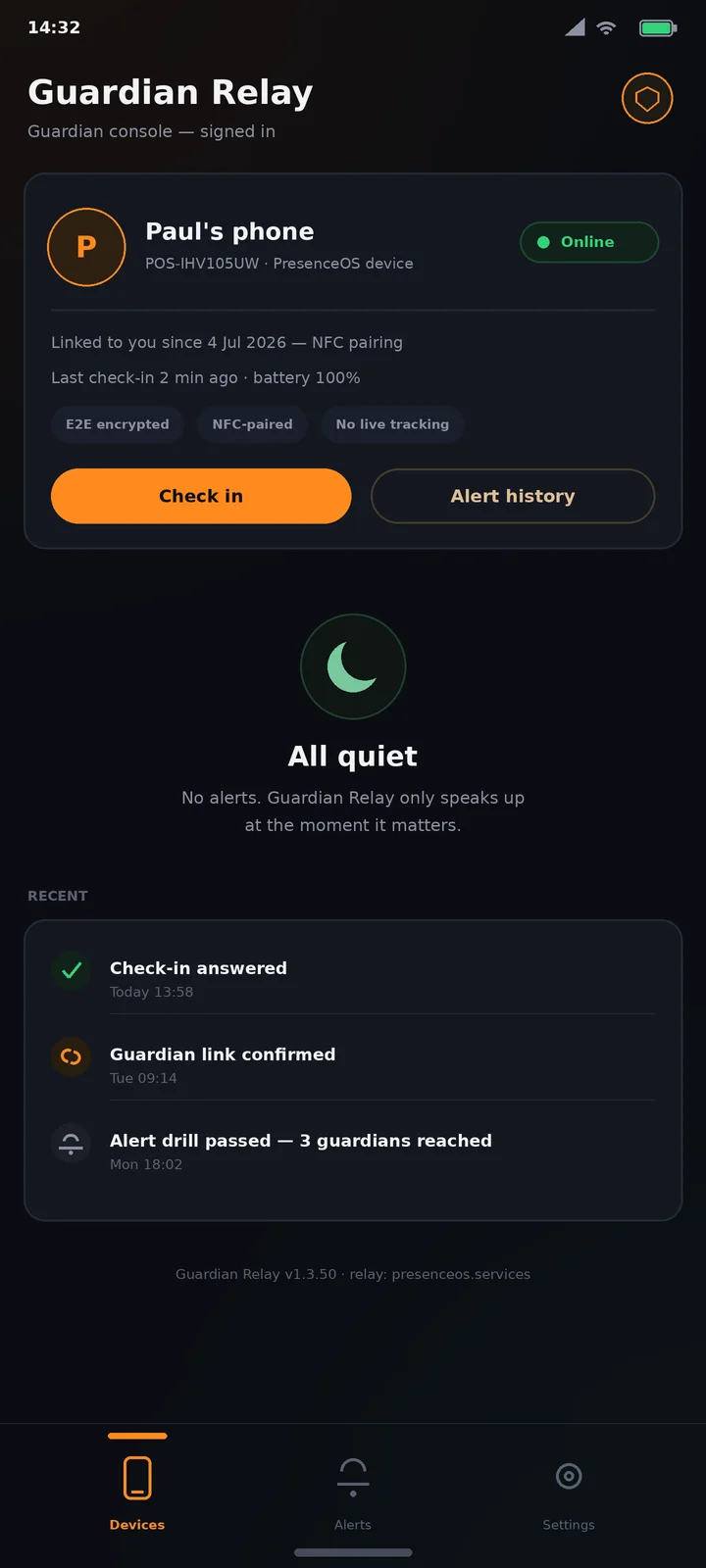
Labelled mock-up — the real app sets FLAG_SECURE,
so Android won't screenshot it. This is what the guardian's view looks like with a
linked device.
Built-In Encrypted Settings
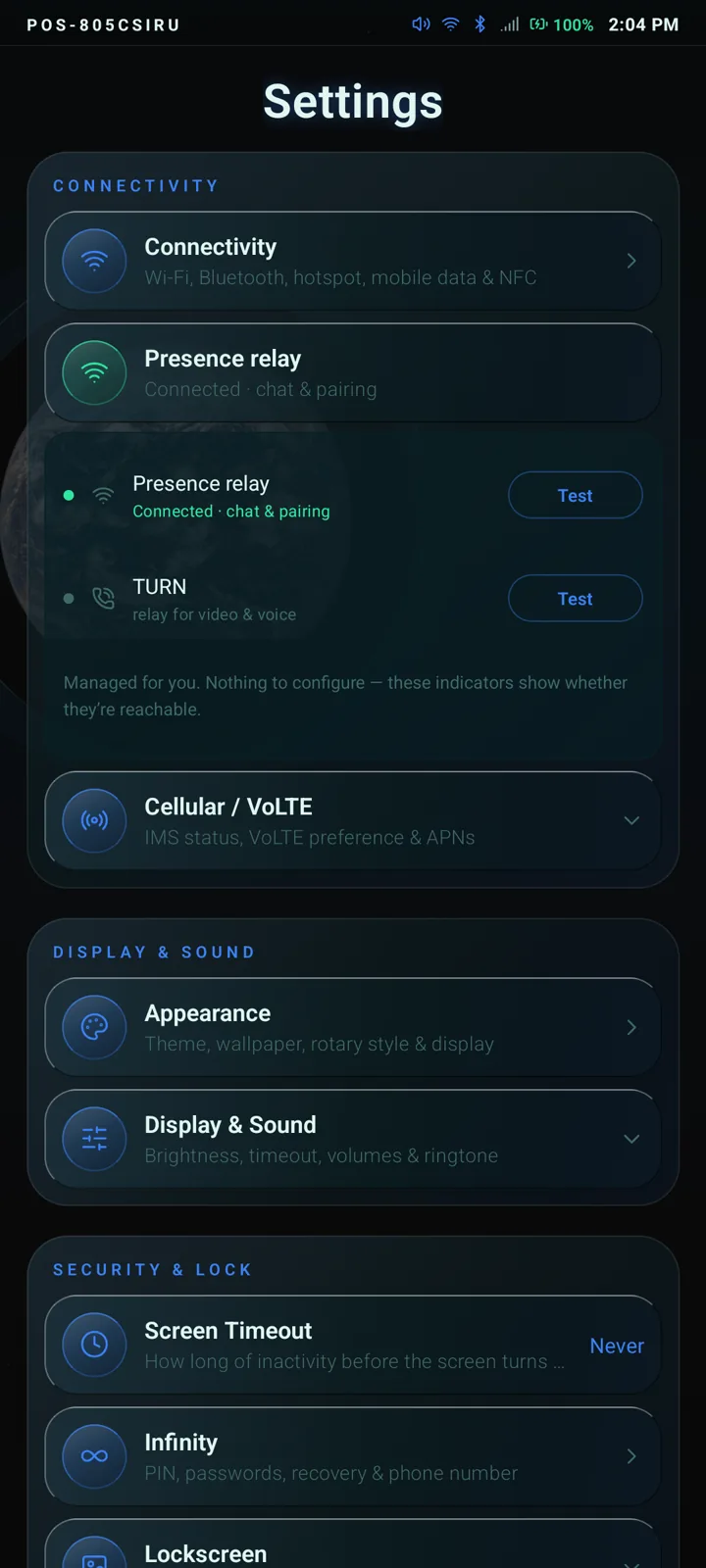
Auto-Lock, App PIN, NFC device pairing, and a private Presence Server for messaging and calls — all configured on the device itself. The settings screen live-probes my relay and TURN server and shows you whether they're reachable; there's nothing to configure because there's no account to configure it against.
PresenceOS Beta 7 · v1.5.30
No usage tracking.
No background data.
PresenceOS gathers no telemetry and has nothing to phone home to — the code paths for analytics SDKs and behavioural profiling were never built in. A side effect of all that missing background chatter is noticeably longer battery life, and hardware that performs better for its price. The phone answers to whoever holds it, not to an advertiser's engagement target.
NFC Contacts Only
Contacts are added face-to-face, by tapping devices together, with both people agreeing — and every connection has an agreed time limit, decided by the two of you at the moment you pair. That single rule removes strangers, follower counts, discovery feeds and public profiles in one go. For everything else there's a built-in white and yellow pages, and a guardian can approve good old-fashioned phone numbers.
Backup and restore
with no cloud account, email, phone number or 2FA
You pick trusted contacts and an encrypted portion of your data is stored on their devices. They can't read it; you can restore from it. The more trusted contacts you add, the more you can back up.
Guardian-Controlled Social Access
Instead of trusting a platform's moderation team with your child's social media access, a PresenceOS guardian can enable or disable it at the system level, on the fly. The rest of the time it's just a phone — and one-to-one messaging with face-to-face paired contacts keeps working regardless.
Guardian Relay
How you use Guardian Relay is up to you. For some households it replaces the grim add-on parental control market entirely. For others it just solves forgotten PINs: with approval from two or more companions, a device can be unlocked remotely, no support line involved.
Music Without the Machine
The built-in music app plays your local files and works as a plain frontend for Spotify or Deezer, with the recommendation rabbit holes left out. The queue contains what you put in it. That's the whole feature, and it's surprisingly hard to find elsewhere.
Your cloud.
Not theirs.
Your backups don't sit in a warehouse across the world.
They live, encrypted, with the people you trust.
This diagram is an illustration. The real Backups screen — trusted contacts, recovery passphrase, and exactly what gets backed up — is in the gallery below, screenshotted off a live device.
How much cloud storage do you want?
myCloud is a distributed, peer-to-peer backup system. Your data is encrypted, split into shards, and stored across your trusted companions' devices — no corporate datacentre in the loop, and no storage bill, because your friends' spare storage was already free. (To be straight about money: the Guardian Relay service is the part I charge for. Storage isn't.)
Storage scales with your real-world trust network rather than your credit card. Each companion you add increases both your capacity and your redundancy.
What that looks like in practice:
- Back up sets of holiday photos knowing they sit, encrypted, on hardware you own or hardware held by people you trust.
- Buying a new phone? Move the important stuff offline — between you, a friend, and the new device. No cloud middleman.
- And once the iOS Companion ships: that old iPhone in a drawer becomes a backup vault for the things you actually care about.
Zero-knowledge by construction
Companions store encrypted shards they cannot read. Only you hold the keys, derived from your PIN and device identity. If a companion loses their device, you restore from the others.
"The backup layer is
your trust network."
For scale: the big clouds charge a few dollars a month, forever, for a couple of hundred gigabytes. myCloud's capacity is bounded only by how many people will vouch for you.
Your phone.
Your palette.
Most OSes give you a wallpaper picker. PresenceOS ships four built-in themes, four UI styles, three rotary styles and custom accent colours — the real picker is in the gallery below. Sharing themes with other users is in development (the home-screen shortcut honestly says SOON), and the mockups here show where it's headed.
by presenceOS
built-in
built-in
built-in
any accent hex
your own
No data about you is shared — only colours and fonts.
Build in seconds
Pick an accent, a background, a text tone. Tap a font. That's it. The system applies your choices everywhere — launcher, lock screen, system UI.
Share if you want — soon
Theme sharing is in development, not shipped. When it lands there'll be no account or email involved; a published theme is tied only to your device identity, which keeps it anonymous by design.
Always yours
Unpublish at any time. Themes carry no metadata, location or usage stats back to me — the data simply isn't sent, so there is no way for me to see who made what.
Not a concept.
A running device.
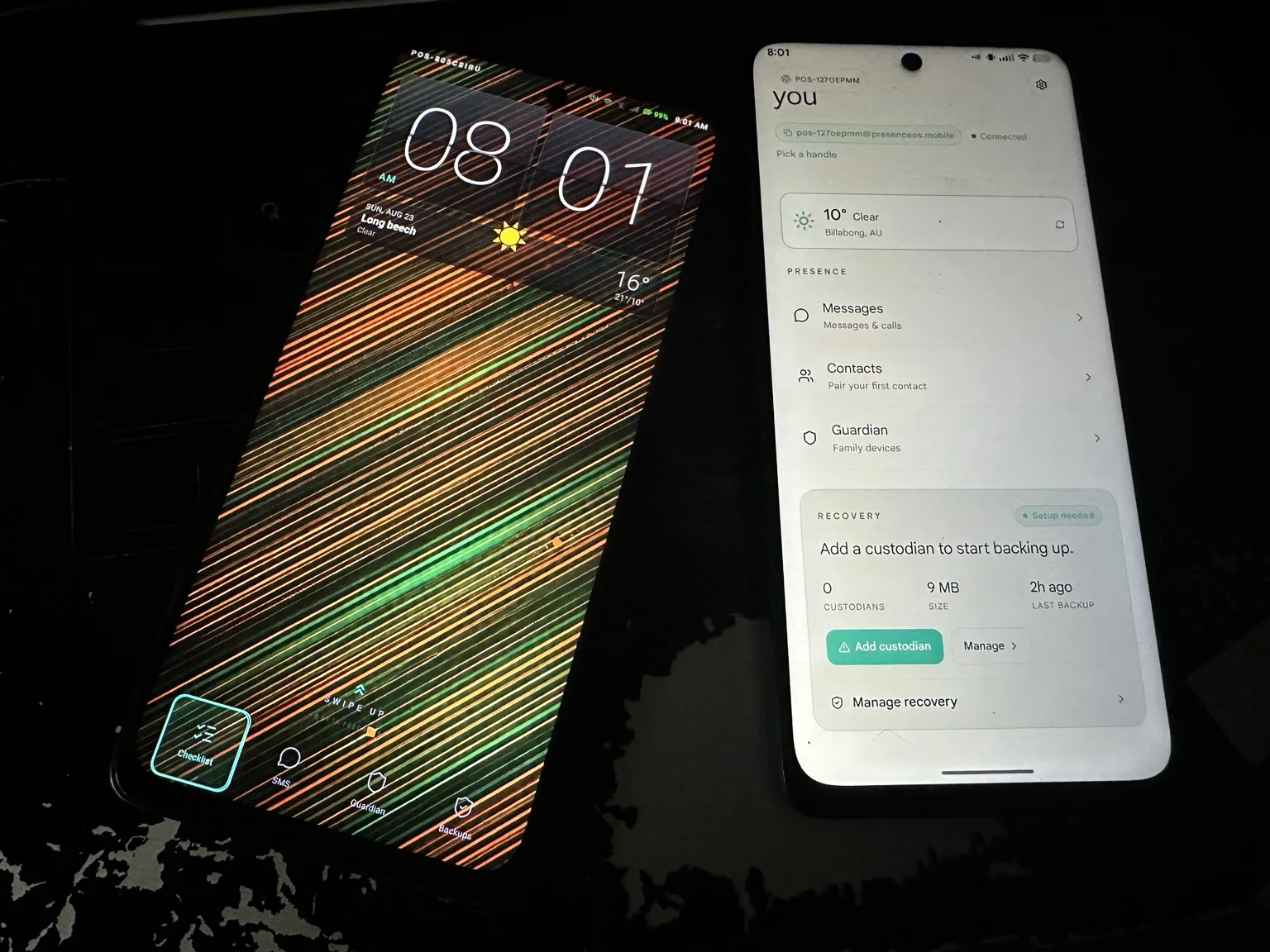
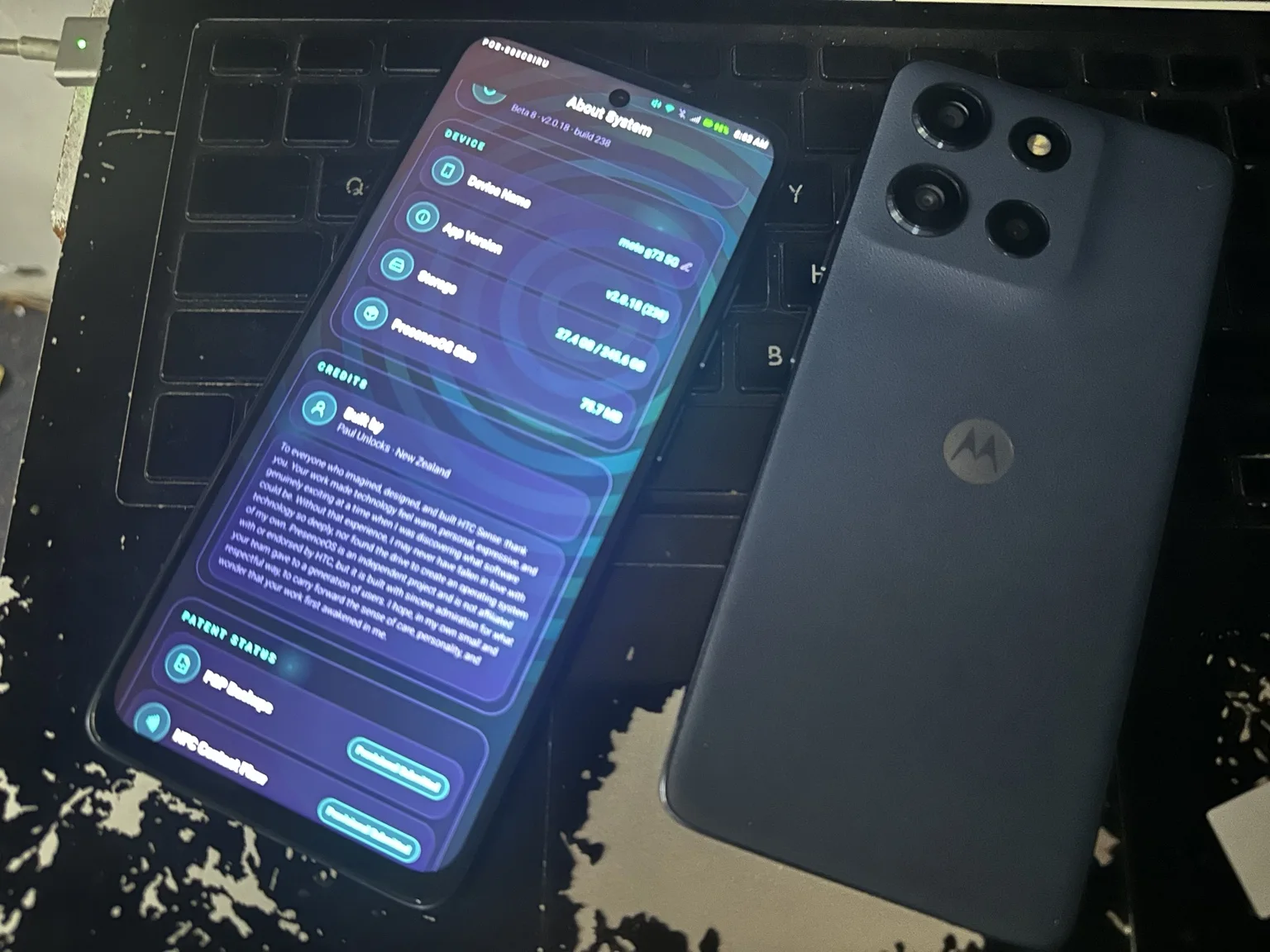
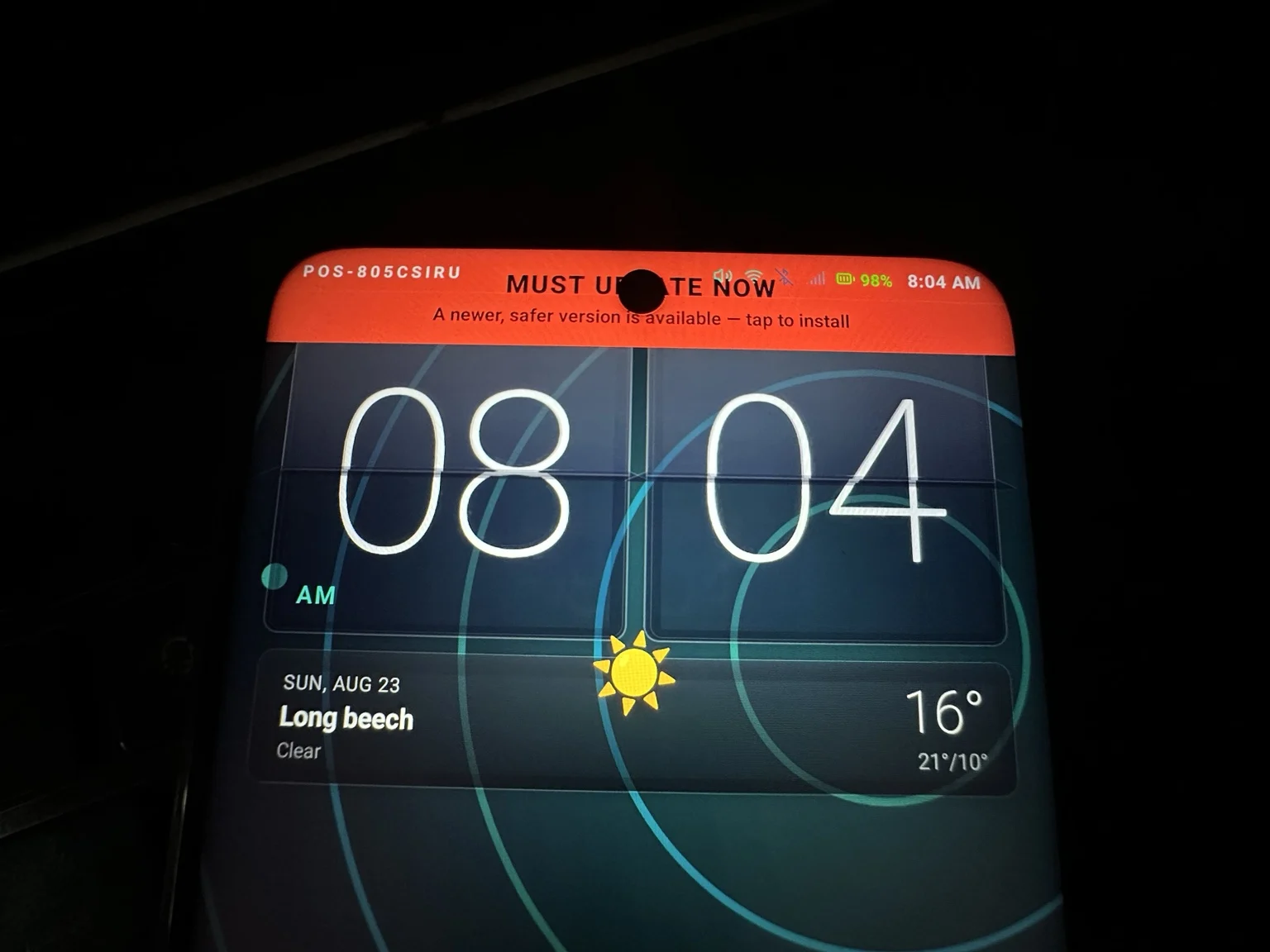
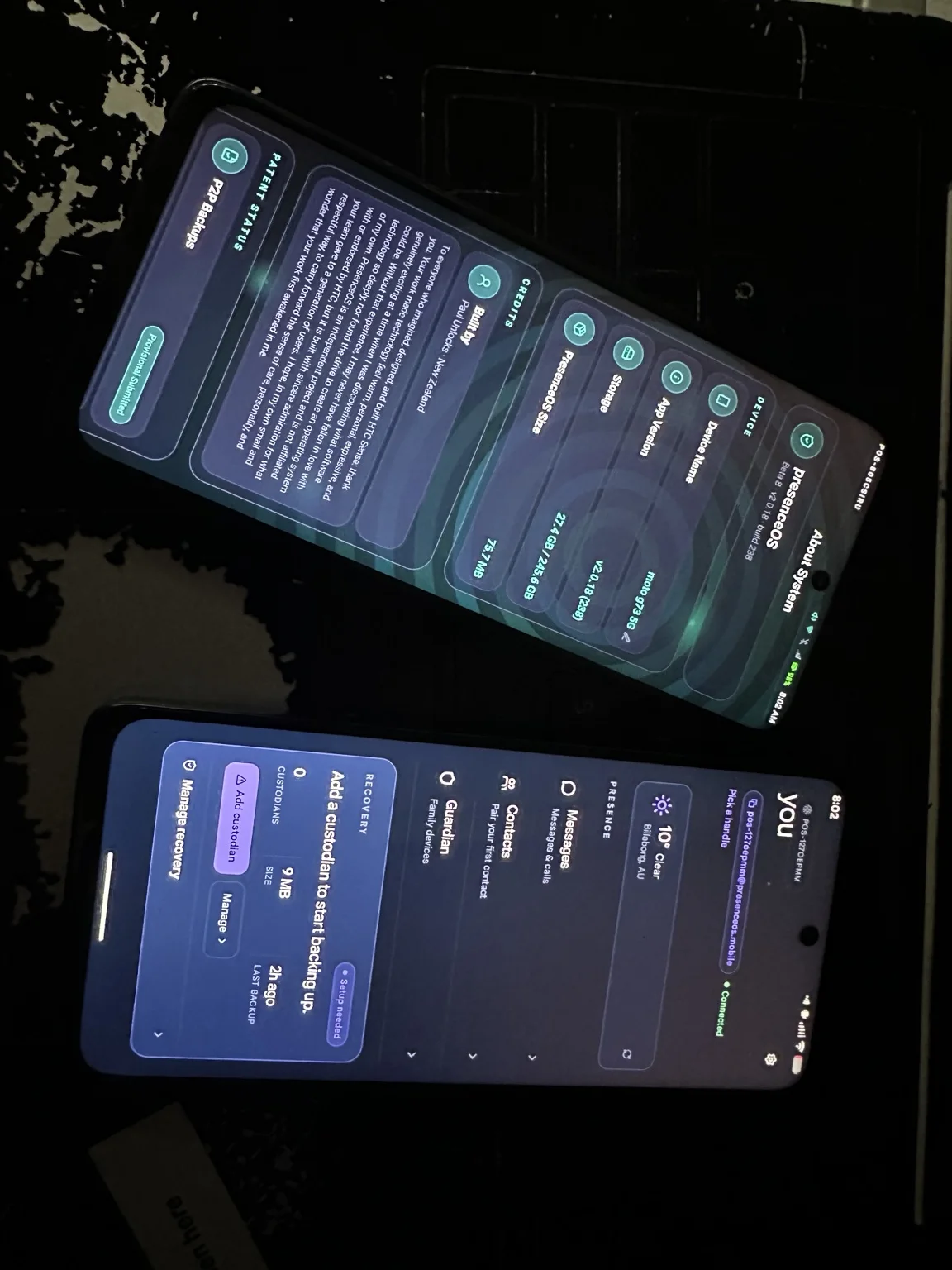
Every screen below is a real screenshot pulled straight off a live PresenceOS handset, hostname and all — no agency renders, no Figma. Where something on this page isn't shipped yet (theme sharing), it's labelled as a mockup instead of being passed off as real. What you see here is what ships. Click any shot to inspect it full size — arrow keys to move between them.
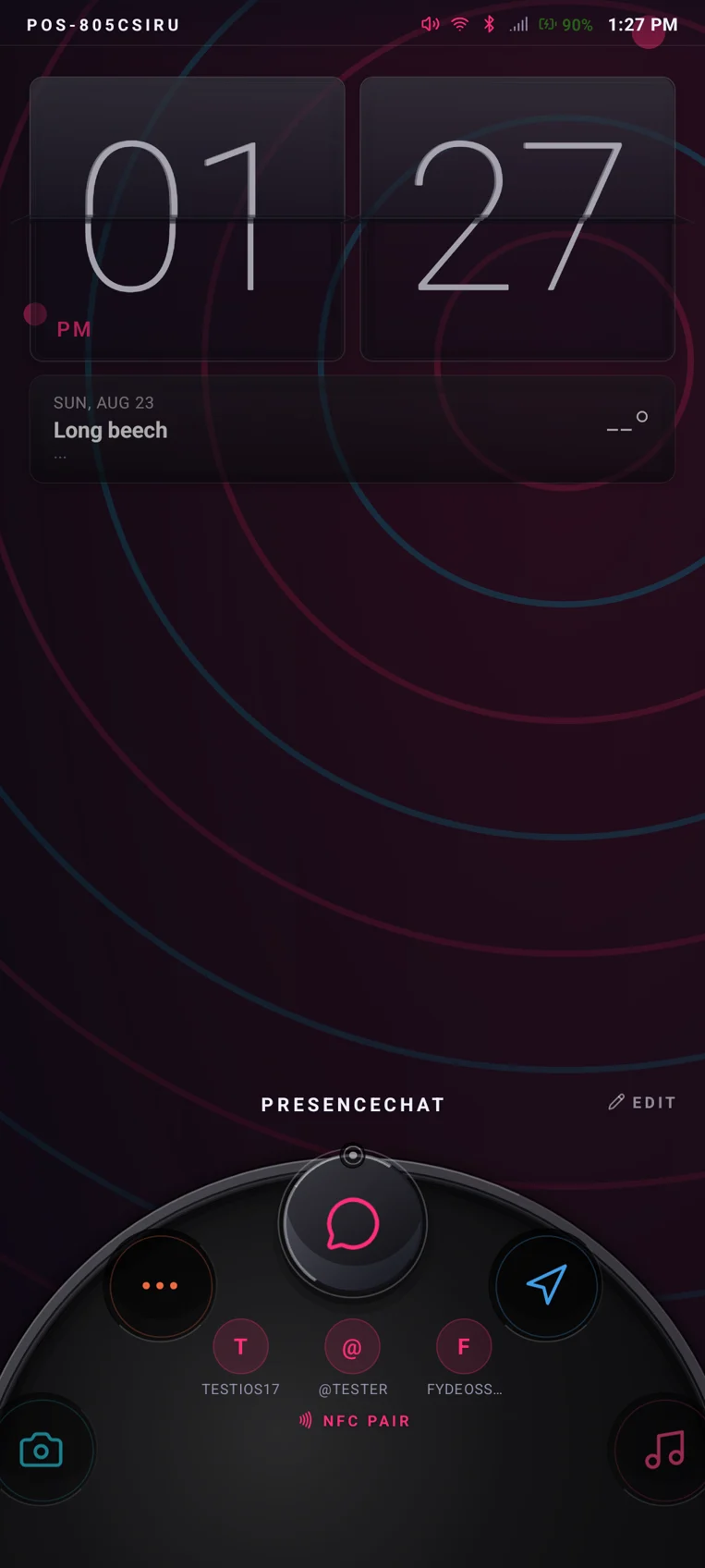
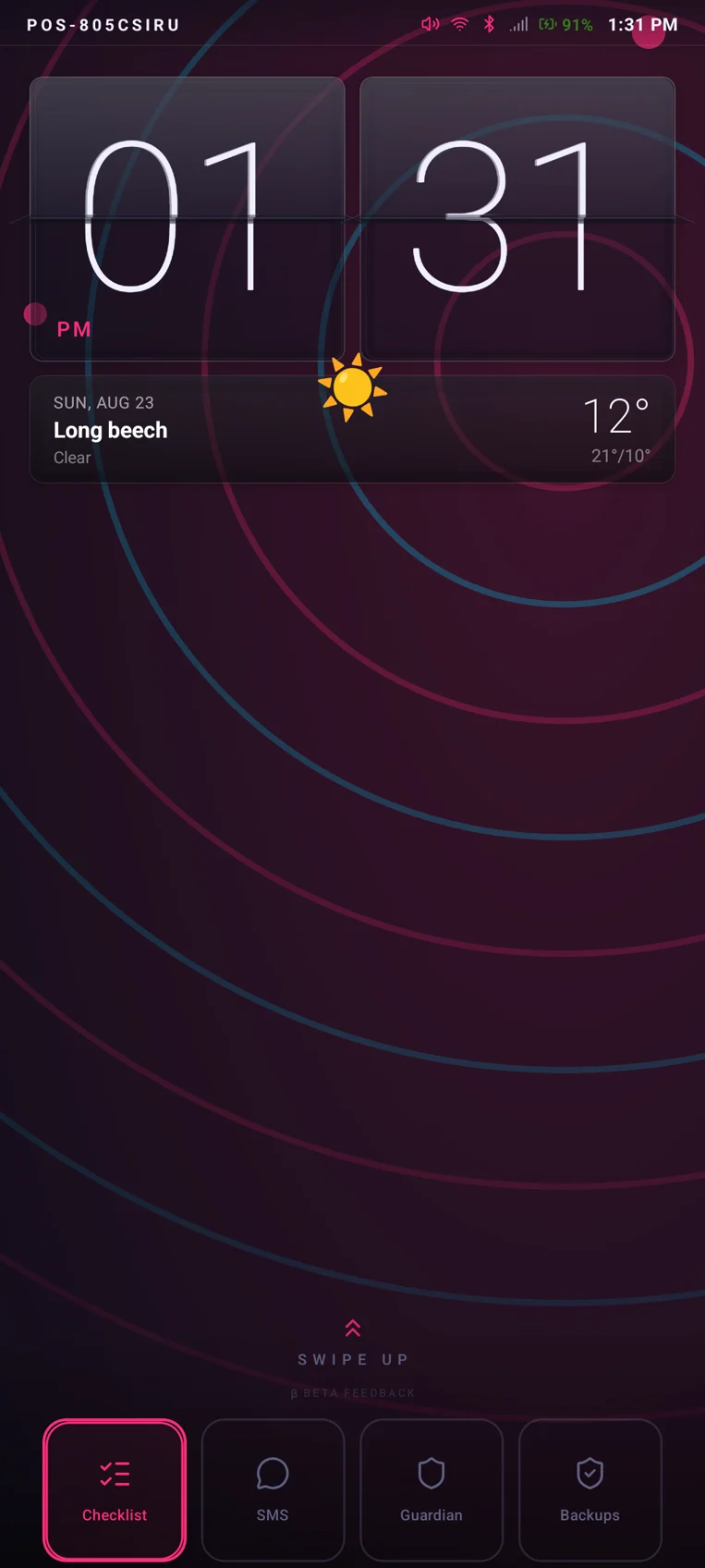
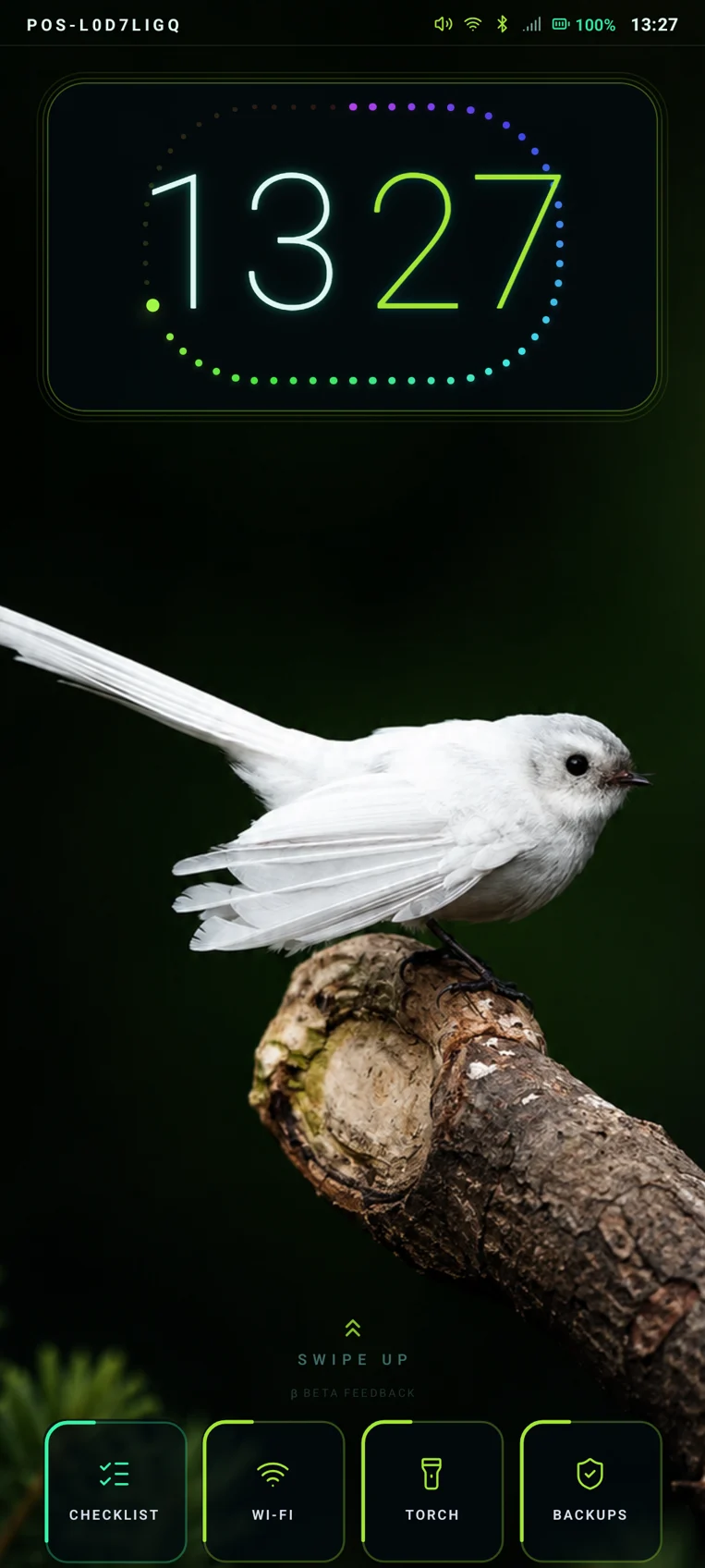
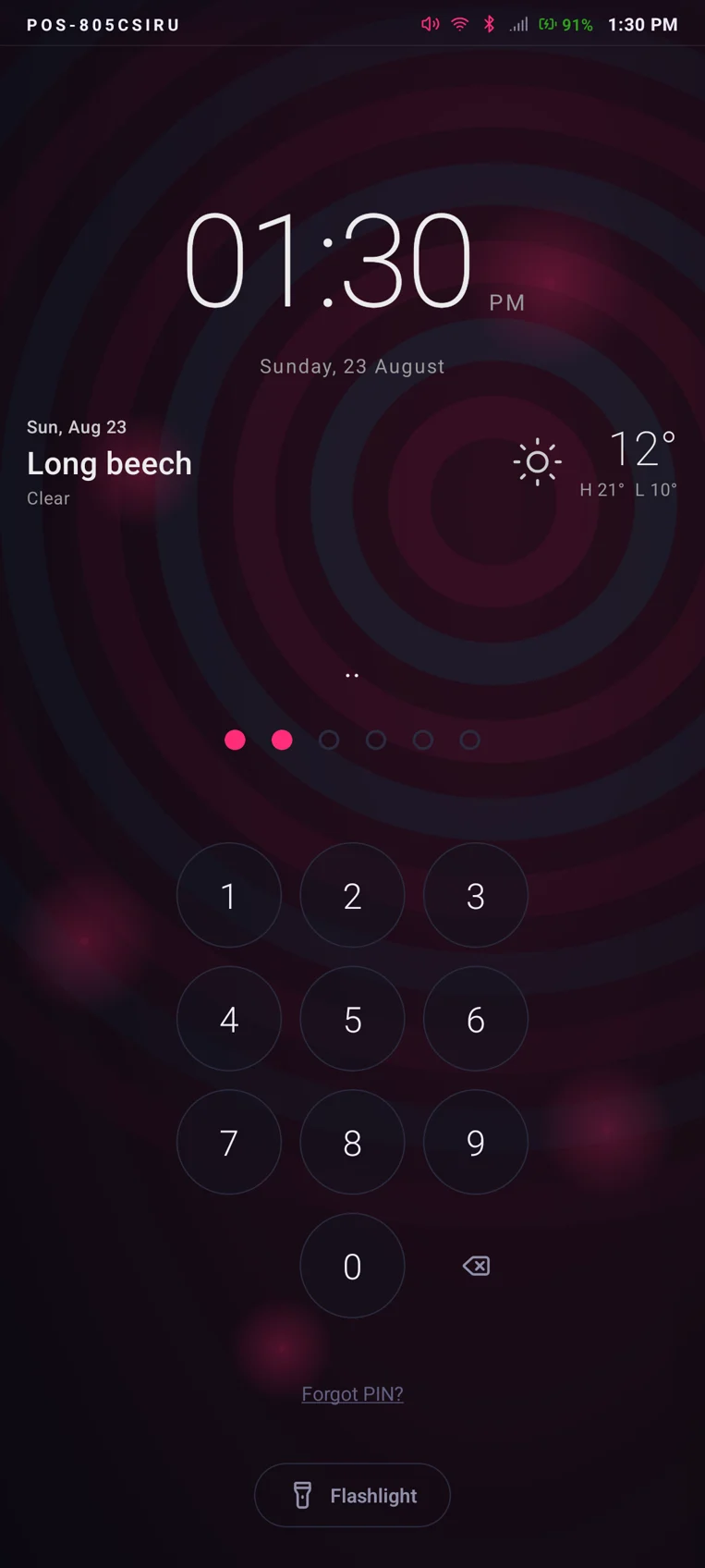
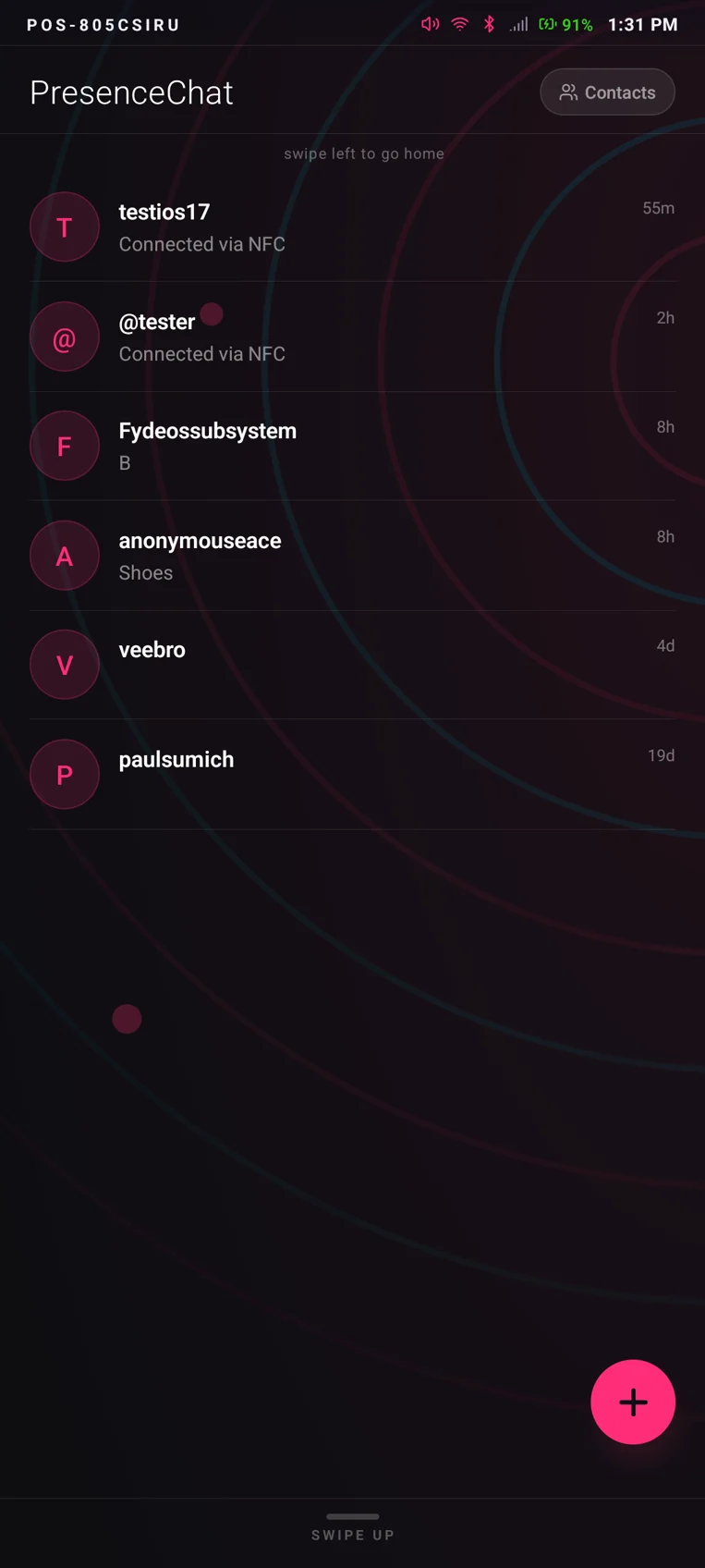
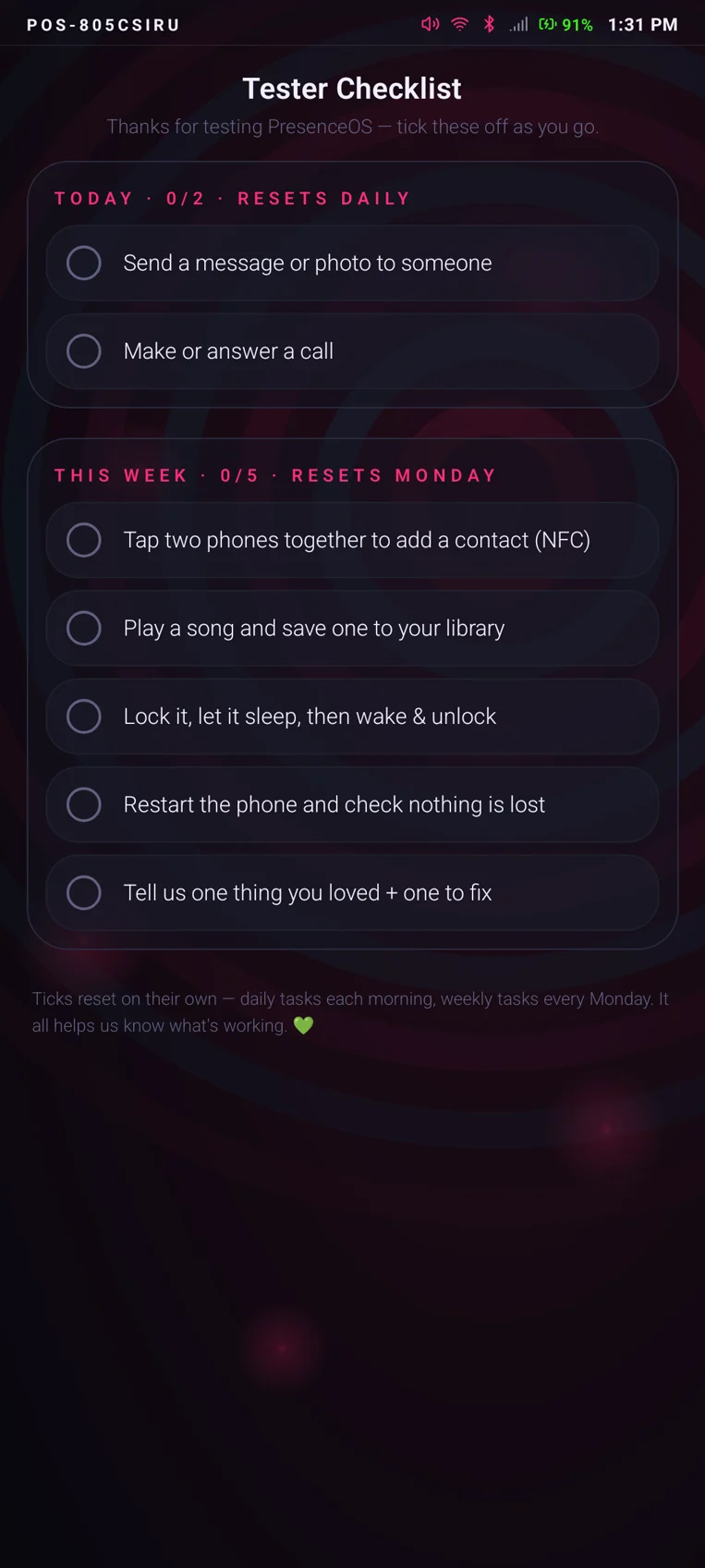
Every shot above: POS-805CSIRU, a moto g56 5G on my bench running
PresenceOS 2.0.23, captured straight off the device on 23 August 2026. The mix of looks is the
theme engine at work, not different builds. The parent app, Guardian Relay, sets
FLAG_SECURE — Android refuses to screenshot it at the OS level — so it
doesn't appear here. I'd rather leave it out than fake it.
No accounts.
No passwords.
No 2FA.
Which turns out to be more secure, not less.
PresenceOS removes the weakest link in modern security: accounts tied to emails, phone numbers and passwords. A password that was never created can't leak, and there's no login page to phish or recovery email to hijack.
Your identity lives on your device, and recovery runs through the companions you've paired with in person. That's the entire model.
In development: human-readable @presenceos.email names to replace raw POS-IDs — running on my own mail infrastructure, naturally. Not in shipped builds yet; I'll say so here when it is.
Delete works both ways. It's the part I'm proudest of.
On every other platform, deleting a contact deletes your copy of them — your details live on in their phone, their exports, their cloud sync, forever. On PresenceOS, when you delete a contact you also delete yourself from their end. One action, both phones, no ghost copies of you left behind on hardware you don't control. It sounds like magic; it's actually just what deletion should have meant all along.
Band-aids on
a broken model.
Modern smartphones are engineered to maximise engagement, not wellbeing. The average person unlocks their phone 96 times per day. Children and teenagers face algorithmic content loops designed by teams of engineers whose sole objective is time-on-platform.
Existing solutions — parental control apps, screen-time features, digital detox programmes — sit on top of systems designed to undermine them. They are band-aids on a broken model.
PresenceOS is a purpose-built alternative rather than a filter bolted onto Android or iOS. I started from what a phone should do, and just as importantly, from what it should refuse to do.
What if your phone was on your side?— PresenceOS, Pilot Programme 2027
No major player is building this. De-Googled Android projects exist, but they assume technical expertise most families don't have and shouldn't need. That's the gap PresenceOS sits in.
Not Android.
And that's the point.
Google is closing the gates
If you follow tech at any level you've seen the moves: developer verification, sideloading restrictions, ever-tighter control over what an Android phone is allowed to run. Fair enough — it's their platform. Which is exactly why my end goal isn't their platform.
PresenceOS is being built to carry no tie, no connection, and no regulation from Google or AOSP, because a phone that isn't Android is a phone Google has no jurisdiction over. PresenceOS devices get their updates from my internal ecosystem, straight from my development environment — built, signed and shipped by me.
Not a slide. A phone on my bench.
This isn't a whiteboard ambition. I have a Motorola Edge 50 Fusion that boots a Linux userspace completely void of Android and Google: the hardware, the vendor drivers and hardware-interface layer, and then my own systemd userspace running the PresenceOS UI. Think postmarketOS — except it's PresenceOS, only PresenceOS.
Honesty clause: it's a first iteration, and vendor and OEM proprietary code is still required today to drive the hardware. One day it won't be. Meanwhile, pilot families run PresenceOS as an Android fork on our own system image — the shipping vehicle while the firmware matures.
Pilot Programme
Onboarding
I'm Paul, the founder, and I'm planning the initial rollout around a small number of intentional households — a controlled pilot to pressure-test real-world use, with several families already showing interest. PresenceOS is an entire ecosystem, not a device-management add-on, and I need real families using it daily to find what I can't find on my own bench.
What pilot households get
- ✓A pre-configured PresenceOS device — yours to keep after the real-world beta run
- ✓A private contact set up for your household, so the network feels lived-in from day one
- ✓A guided onboarding session with me
- ✓A scheduled monthly feedback session with me directly — you tell me what to build, I bake it in, sign it, and push the update to you
- ✓A new moto g56 5G (256 GB), flashed with PresenceOS before it ships, with a 6-month hardware guarantee from me
One place for the numbers.
Everything about what a Presence phone costs — the device, the plan, what's included and what never will be — lives on the Release page, kept current in one place rather than repeated across the site.
- Nothing upfront for the handset — the phone comes with the plan
- Guardian Relay for parents is included, never a separate charge
- Backups never cost anything — storage isn't what I charge for
- Founding families lock their rate for life, with a direct line to me throughout